













Salesforce Recurring Payments Guide: Native App vs. PSP
Salesforce recurring payments means collecting a set amount from a customer, policyholder, member, student, or donor on a schedule, and recording every collection in Salesforce. Any setup can take the first payment. The differences show up later, when a card expires, a bank rejects a direct debit, or a payer changes accounts.
This guide follows a recurring payment through those events and covers what to check at each one, so you can judge a setup by how it handles month twelve, not month one.
How recurring payments work in Salesforce
Salesforce stores the recurring agreement: the payer, amount, frequency, and dates. In most orgs this is the recurring payment record of your payments app, linked to a contact or account. Nonprofits can also use Salesforce's own Recurring Donation (NPSP) or Gift Commitment (Nonprofit Cloud) objects. Salesforce doesn't collect the money itself. A payments app or a PSP integration does that, and each collection is recorded as its own record, usually called an installment.
There are two common setups. The difference is where the schedule lives:
- PSP-managed. The PSP holds the schedule and the payment authorization and collects on its own timetable. An integration copies the results into Salesforce. Examples: Stripe's app for Salesforce, which syncs Stripe billing data into Salesforce, and the Zuora connector for Salesforce.
- Native payments app. The app is installed in your Salesforce org, so the schedule, authorization, installments, and payments are all Salesforce records. It sends each collection to one or more PSPs, or to your bank as a direct debit file, and records the result. Example: FinDock generates an installment from the recurring payment record for each due date and collects it through payment schedules, which can run automatically with auto-collect.
Example: a $49 monthly ACH payment, step by step, in both setups
The agreement is recorded in Salesforce
Salesforce recordWho pays, how much, how often, and how. Each installment comes from it.
Amount$49.00per installmentFrequencyMonthly1st of the monthPayment methodACH debitChecking •••• 4300MandateACH authorizationSigned Dec 12PSP-managedThe PSP holds the schedule and the authorization. Salesforce shows a synced copy.
Native payments appThe recurring payment record drives the schedule, and the mandate is stored in Salesforce.
The collection: one installment per due date
Related recordsEach collection has its own record and status.
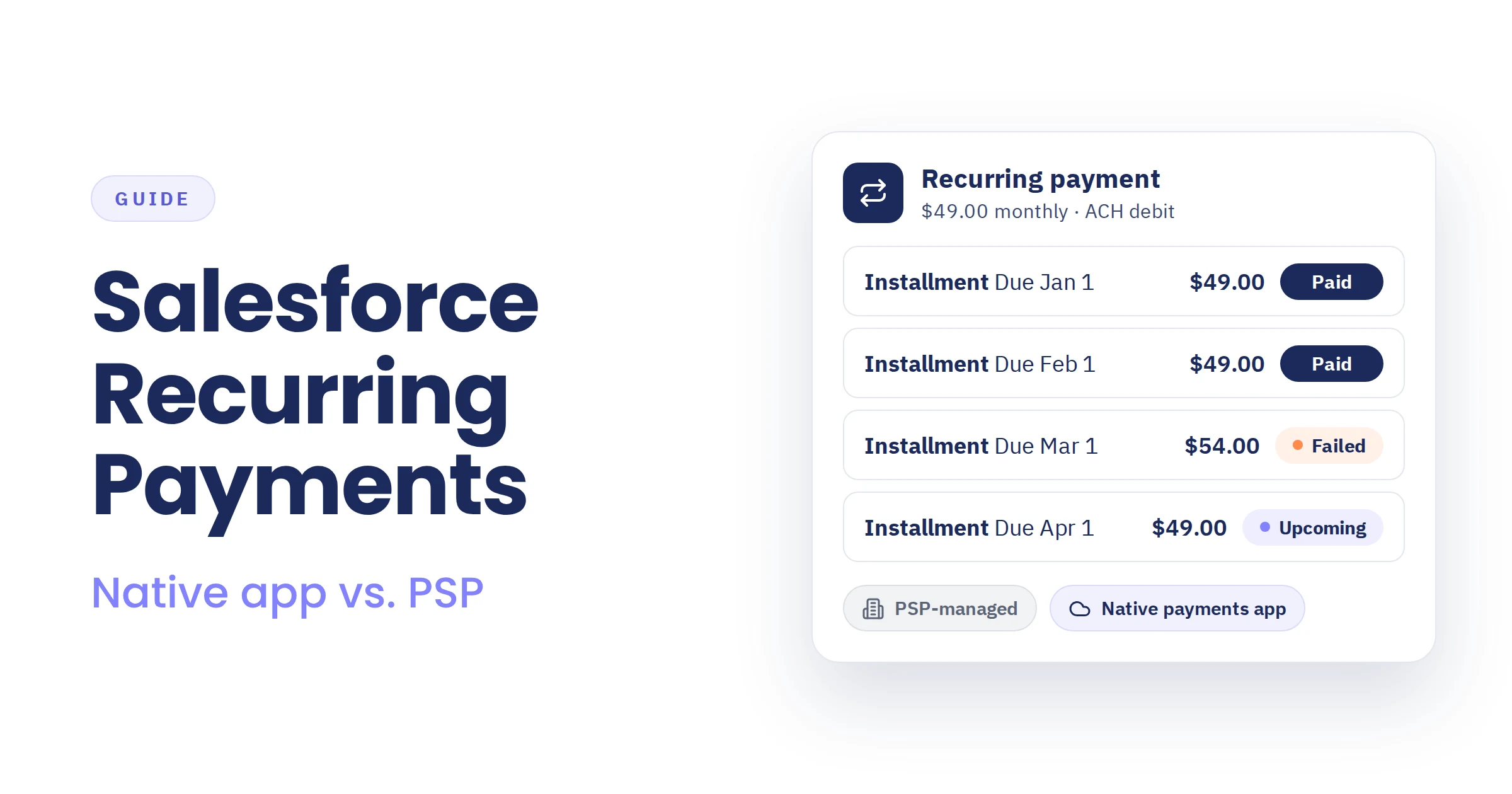
Installments (4)Linked to the recurring payment- Installment Due Jan 1Settled Jan 3$49.00Paid
- Installment Due Feb 1Settled Feb 3$49.00Paid
- Installment Due Mar 1R01 · includes $5.00 late fee$54.00Failed
- Installment Due Apr 1Scheduled · ACH debit$49.00Upcoming
PSP-managedThe PSP charges on its own timetable, and each result is copied into Salesforce.
Native payments appSalesforce sends each due installment to the PSP or bank, in batches or automatically.
The outcome: recorded on each installment
Payment historyA payment is recorded, or a failure with its reason. Refunds, partial payments, and fees change what is still open.
- Mar 1 payment failed: R01, insufficient funds
- $5.00 late fee raises the open amount to $54.00
PSP-managedThe PSP handles retries and reminders. Salesforce sees the result after the sync.
Native payments appThe reason is recorded on the installment, and a Flow or Marketing Cloud journey can start follow-up.
Reconcile: match each payment to its installment
Matched to installmentPSP reports and bank statements are matched to the installments they pay.
PSP / BankACH credit · $49.00Feb 3 · Ref ACH-0203-7714MatchedPaidSalesforceInstallment · $49.00Due Feb 1PSP-managedPayouts are often matched by hand, outside Salesforce.
Native payments appPSP reports and bank statements are matched to installments in Salesforce.
Both can take a payment. The events below are where they differ. For a broader comparison, see native Salesforce payment apps vs. direct PSP integration.
Who collects recurring payments in Salesforce
Any organization that collects a fixed amount on a schedule uses the same mechanics: an agreement, an authorization, and a collection for each due date. Common examples:
- Insurance: premium installments.
- Financial services: repayment and fee schedules.
- Education: tuition and fee plans.
- Membership organizations and associations: monthly or annual dues.
- Service and subscription businesses: maintenance contracts, retainers, and installment plans.
- Government and public sector: recurring fees and charges.
- Nonprofits and charities: monthly giving and pledges.
What changes by sector is the payment methods, the rules, and the objects that hold the agreement.
What happens over the life of a recurring payment
Sign-up: the payer authorizes future collections
The payer signs up through an online form, a payment link, or a call with your team. For cards, the payment service provider (PSP) stores a credential for later collections. For direct debit (SEPA, ACH, and other schemes), the payer signs a mandate. Some methods, such as Swish in Sweden, use a consent flow, and some PSPs need an initial payment before recurring collection can start.
What to check: Does each method you offer support recurring collection with your PSP? Is the agreement created directly on the Salesforce record you report on, rather than synced in later?
Each due date: the installment is collected
On each due date, the amount is collected through the PSP or, for self-managed direct debit, through a payment instruction file you send to your bank. Collection runs in batches, where a payment schedule picks up the installments that are due, or automatically.
What to check: Is each collection its own record with a status you can report on? Can you see what will be collected next month before it runs?
A card payment fails
Cards expire, get replaced, or are declined for insufficient funds. A failed payment needs three things: the reason recorded on the payer's record in Salesforce, a retry if the failure is temporary, and a way for the payer to fix it, such as a payment link. This sequence of retries and reminders is called dunning.
What to check: Is the failure reason visible on the payer's record in Salesforce? Who controls retries, the PSP or your team? Can you send a payment link for the open amount?
The bank rejects a direct debit
Direct debits can be rejected before collection or returned afterward, for example when an account is closed or the payer disputes the debit. Banks report these in status reports and on bank statements. SEPA uses pain.002 status reports for rejections, and ACH sends back returns with a return code, such as R01 for insufficient funds. If your setup doesn't process them, the installment is never marked as not collected, and nobody follows up.
What to check: Are rejections and returns read automatically and recorded on the installment? Can you see when a payer's collections keep failing?
The payer changes bank details or card
A new bank account needs a new mandate, and a new card needs a new stored credential. Future collections have to move to the new details, and the old mandate should stop being used.
What to check: Can your team update payment details from the Salesforce record, or does the payer have to sign up again? Does the change create the new mandate and move future installments to it?
The payer pays part, gets a refund, or owes a fee
Amounts change after the due date. A payer pays half, a refund is issued, or a late fee is added. If an installment can hold several payments and its open amount can change, the balance stays accurate in Salesforce. Otherwise these adjustments end up in spreadsheets.
What to check: Can one installment hold several payments? Are refunds linked to the original payment?
A standing order changes without notice
Standing orders are recurring bank transfers the payer sets up at their own bank. They are common in the UK, and the Netherlands has an equivalent called periodieke overschrijving. You don't initiate them, and the payer can change the amount or cancel without telling you, often with an unstructured reference.
What to check: Can incoming transfers be matched to expected installments, so missing or changed payments are flagged?
The payout arrives and needs reconciling
PSPs pay out totals, net of fees. Bank statements list individual transfers, with references payers may mistype. Reconciliation means matching every payout and transfer to the right installment. That gets difficult when a payout covers hundreds of collections with some refunded, or a direct debit batch shows up as a single credit while rejections return separately. It also gets difficult when a transfer has no reference or one in someone else's name, a payer pays two months at once or a different amount, or a payment arrives days after the installment was flagged as unpaid.
What to check: Does matching read both PSP reports and bank statements? Can one transfer be matched to several installments, or to part of one? Where do unmatched payments go for your team to review?
Sector rules add steps
Some sectors add rules on top of collection. UK charities claim Gift Aid on eligible donations, which needs a valid declaration from each donor and regular claims to HMRC. Direct debit schemes set rules for notifying payers before a collection. Each rule means more data to keep on the record and more deadlines to meet.
What to check: Can your setup hold the data these rules need, such as declarations and notice dates, on the same record as the payment? Does it show claims or notices that are due?
You add a PSP or switch providers
Adding a PSP, for a new country or payment method, is simple when the schedule lives in Salesforce: new payers use the new PSP and existing collections carry on. When the schedule lives in a PSP, a second PSP means a second set of schedules and a second sync. Switching PSPs takes more work either way, because card details are stored by the PSP that collected them and have to be transferred to the new PSP or collected again from payers. The difference is the schedules: in Salesforce they stay where they are, while in a PSP they have to be rebuilt too. Direct debit collected through your own bank files doesn't depend on a PSP at all.
What to check: Can you run more than one PSP at once, for example for different countries or payment methods? Is there a documented migration path from your current provider?
How the two setups handle these events
| Event | PSP-managed | Native payments app |
|---|---|---|
| Sign-up | PSP checkout or a synced form; the Salesforce record arrives through the sync | Form, payment link, or agent; the record is created in Salesforce |
| Collection | Scheduled in the PSP | Scheduled from Salesforce records, through a PSP or bank files |
| Failed card payment | Retried by the PSP; follow-up runs in the PSP, or in Salesforce once the result is synced | Status and reason recorded on the installment. A Salesforce Flow or a Marketing Cloud journey can use them to start follow-up, such as an email with a payment link, and the installment can be collected again |
| Rejected direct debit | Reported by the PSP, if the PSP runs the debit | Read from PSP updates or bank status reports, and the installment is marked as failed |
| Changed payment details | Updated in the PSP; Salesforce may lag behind | New mandate or card set up from the Salesforce record |
| Partial payment or refund | Tracked in the PSP | Tracked on the installment |
| Standing orders | Not covered, because the bank initiates them | Matched to expected installments from bank statements, so missed payments show up |
| Reconciliation | Often manual | In Salesforce |
| Adding a PSP or method | New integration work | Install and configure the app's extension for that PSP |
Where FinDock fits
FinDock is a native Salesforce payments app, so the schedule, mandates, installments, and payments are all Salesforce records. FinDock's own recurring payment record holds the amount, payment method, and frequency for a contact or account. It serves insurance, financial services, education, government, and nonprofit organizations.
Collection runs through payment schedules or auto-collect, using PSPs such as Stripe, Mollie, and GoCardless, or direct debit files you send to your own bank. For all supported payment methods and PSPs, see the FinDock factsheet. Each collection is an installment that can hold several payments and track refunds and late fees. FinDock processes direct debit rejections from bank status reports, handles standing orders, and reconciles PSP notifications and bank statements in Salesforce. FinDock has migration guides for recurring payments in Stripe and GoCardless, and general guidance for migrating payment data, including notes for Mollie, PayPal, and other PSPs.
Nonprofits that use Salesforce's fundraising objects can have FinDock collect against Recurring Donations in NPSP and Gift Commitments in Nonprofit Cloud instead. UK charities can also manage Gift Aid declarations and claims through a direct integration with HMRC.
Frequently asked questions
Can Salesforce collect recurring payments on its own?
Salesforce stores recurring agreements but doesn't collect money. That applies to a payments app's recurring payment record and to Salesforce's own Recurring Donation and Gift Commitment objects for nonprofits. To collect by card or direct debit, you connect a payments app or integrate a payment service provider (PSP).
Can I collect insurance premiums or tuition installments with Salesforce recurring payments?
Yes. Premiums, tuition, membership dues, and service plans all follow the same mechanics: an agreement, an authorization, and a collection for each due date.
How are failed recurring payments handled in Salesforce?
With a native payments app, the failure and its reason are recorded on the installment in Salesforce, and your team can follow up with the payer, for example with a payment link. Retry behavior depends on the app and the PSP. With a PSP-managed setup, failures are handled in the PSP and copied to Salesforce afterward.
Can I collect SEPA direct debit from Salesforce?
Yes. A payments app can collect SEPA direct debit through a PSP, or by generating payment instruction files that you send to your bank. Either way you need a valid mandate for each payer, and your setup should process collections the bank rejects or returns.
What is the difference between recurring payments and recurring billing in Salesforce?
Recurring payments collect a set amount on a schedule. Recurring billing works out what is owed each period, so the amount can change from one period to the next. It handles usage-based charges, such as per-user fees or metered usage, plan changes in the middle of a cycle with prorated charges, discounts, and taxes, and it produces an invoice. Fixed-amount programs, such as memberships and installment plans, usually need only recurring payments. If your amounts vary, you need a billing tool to calculate them and a payments app to collect them.